
Welcome to BravoBase Support
As part of your onboarding, you have been provided access to the BravoBase Support Hub, which includes both our Support Desk and Knowledge Base.
The Support Hub is your central location for onboarding assistance, support requests, and help documentation.
Step 1: Activate Your Account
Shortly after receiving your welcome email, you will receive a separate email from the BravoBase Support Hub containing an activation link.
Open the activation email.
Click Activate Account.
Create a secure password.
Complete the account setup process.
Can't find the activation email?
If you do not receive the email within a few minutes:
Check your Spam or Junk folder.
Search your inbox for the word "activation".
If you still cannot locate it, contact our support team for assistance.
Step 2: Log In to the Support Hub
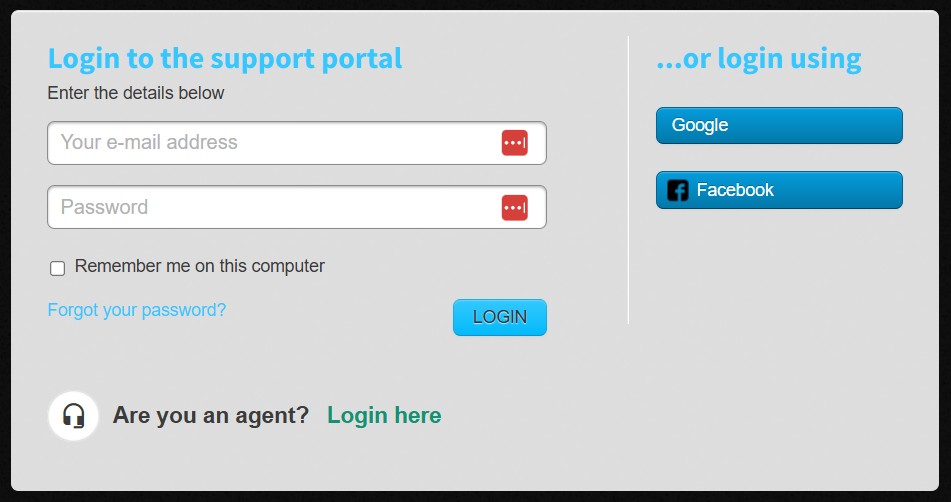
Once your account has been activated:
Visit the Support Hub:
https://support.bravo-base.comClick Sign In.
Enter:
Your email address
The password you created during activation
Click Login.
You will now have access to both the Support Desk and Knowledge Base.
Using the Support Desk
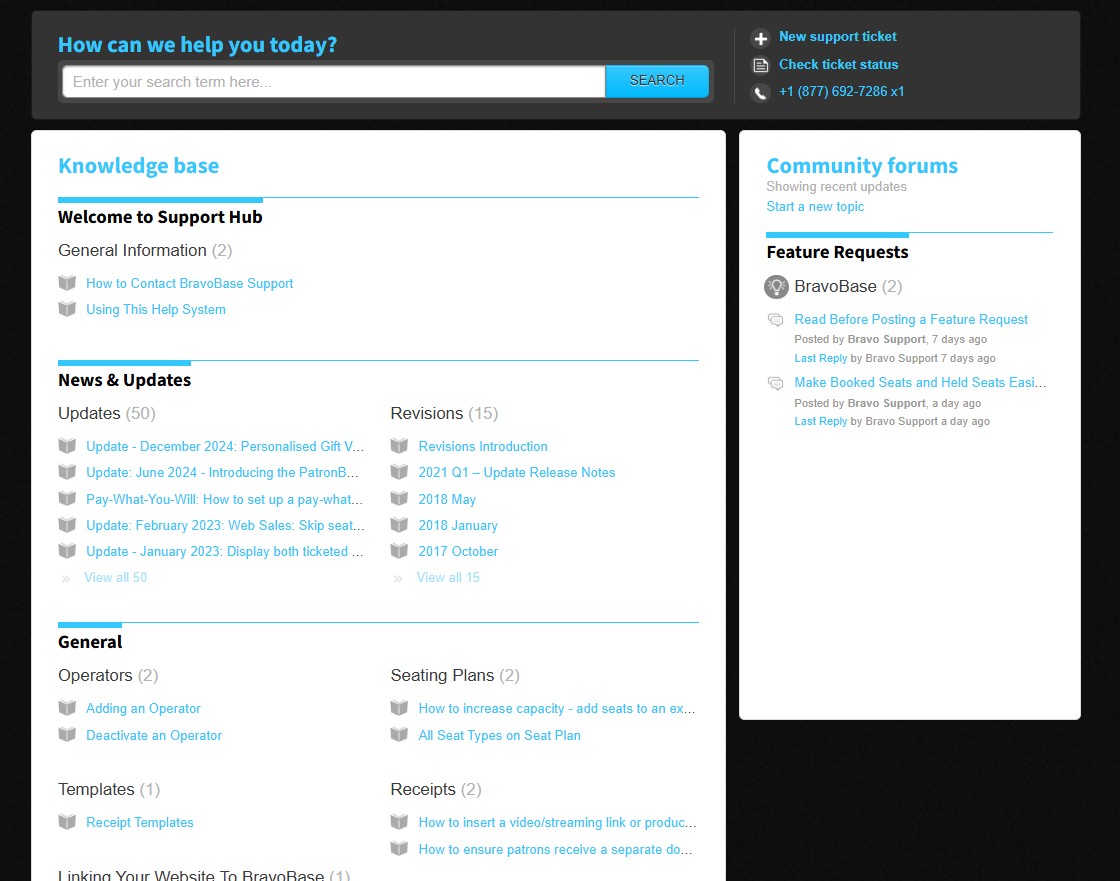
The Support Desk is where you can:
Submit support requests
Track the status of existing tickets
Reply to onboarding questions
View communication history with the BravoBase team
Keep all setup-related conversations in one place
Access your support tickets at:
https://support.bravo-base.com/en/support/tickets
Using the Knowledge Base
The Knowledge Base contains help articles, setup guides, tutorials, and troubleshooting information.
Visit the Knowledge Base at:
https://support.bravo-base.com/en/support/solutions
You can search by keyword or browse articles by category.
Creating a New Support Ticket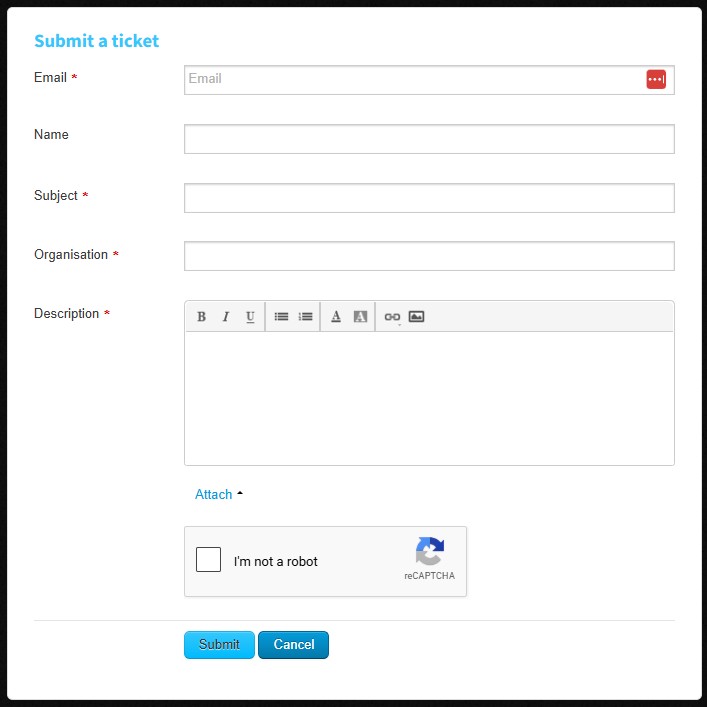
To submit a support request:
Log in to the Support Hub.
Navigate to the Support Desk.
Select Submit a Ticket.
Enter a subject and detailed description.
Attach screenshots or files if needed.
Click Submit.
You will receive email updates as your ticket is processed.
Replying by Email
You can also communicate directly through email.
Simply send a message to: support@bravo-base.com
Emails sent to this address will automatically create a new ticket or update an existing one if you are replying to a support conversation.
Need Help?
If you experience any issues accessing your account, activating your login, or locating resources, contact us:
Bravo Arts Support Team
Phone: +1 (877) 692-7286
Email: support@bravo-base.com